Hello, Android enthusiasts! Have you recently updated your phone, or are you looking forward to getting the latest and greatest from Google? Android 16 is here, and it's packed with innovations designed to make your daily smartphone use more intuitive, secure, and enjoyable. Think of this as your friendly guide to all the awesome new features waiting for you.
This update isn't just about minor tweaks; it introduces significant enhancements across the board, from how your phone looks and feels to how it protects your data and boosts your productivity. We're going to break down everything you need to know, so even if you're new to Android updates, you'll feel like a pro in no time!
We'll explore the fresh new design elements, powerful security upgrades, and clever tools that make multitasking a breeze. By the end of this guide, you'll have a solid understanding of how Android 16 elevates the entire mobile experience. Let's get started!
Table of Contents
Welcome to Android 16: What's New?
A Fresh Look and Feel: Material 3 Expressive Design
Smarter Notifications with Live Updates
Boosting Your Productivity: Desktop Windowing & Quick Settings Redesign
Enhanced Security and Privacy: Keeping You Safe
Tailor-Made for You: Customization Features
Performance and Battery: A Smoother Experience
Accessibility for Everyone
Key Takeaways
Frequently Asked Questions (FAQ)
1. Welcome to Android 16: What's New?
The world of Android is constantly evolving, and Android 16 is the latest testament to that commitment. Released on June 10, 2025, this update builds upon the strong foundation of previous Android versions, bringing a host of improvements that touch nearly every aspect of your phone. Google has focused on making the platform more intelligent, secure, and incredibly user-friendly.
This major release, the 23rd version of Android, aims to refine your daily interactions with your device. Whether it's through a more responsive interface or smarter ways to manage your digital life, Android 16 is designed to enhance your mobile journey. It's about providing a seamless and powerful experience, right in the palm of your hand.
From the moment you start using it, you'll notice the dedication to a more polished and efficient operating system. We're talking about updates that feel meaningful and directly improve how you interact with your apps, manage your notifications, and keep your personal information safe.
2. A Fresh Look and Feel: Material 3 Expressive Design
One of the first things you'll likely notice in Android 16 is the stunning new visual overhaul, thanks to the Material 3 Expressive design. This isn't just a simple cosmetic change; it's a comprehensive approach to making your phone's interface more dynamic, engaging, and personal.
The new design incorporates "springy animations" that add a sense of fluidity and responsiveness to your taps and swipes. These subtle but impactful animations make navigating your device feel more natural and alive. Coupled with "updated dynamic color themes," your phone's aesthetic can now adapt even more intelligently to your chosen wallpaper, creating a cohesive and beautiful look across the entire system.
This means your Android device will not only perform better but also look more consistent and aesthetically pleasing, reflecting your personal style. It's an invitation to a more vibrant and interactive user interface.
3. Smarter Notifications with Live Updates
Notifications are a crucial part of our smartphone experience, and Android 16 makes them even smarter with the introduction of "Live Updates." Imagine being able to track real-time progress for important notifications directly from your lock screen or notification shade.
For example, if you've ordered food, you can see its journey from the restaurant to your door in real-time without opening the app. Or perhaps you're tracking a flight, and the notification updates with the latest gate information or delays. This feature significantly reduces the need to constantly open apps to check for status changes, saving you time and effort.
Live Updates streamline your information flow, providing immediate and contextual information when you need it most. It's all about getting the right information at a glance, making your daily tasks a little bit easier and your phone experience a lot more efficient.
4. Boosting Your Productivity: Desktop Windowing & Quick Settings Redesign
Android 16 introduces some fantastic tools for boosting your productivity, whether you're working on the go or just trying to get things done more efficiently. Two standout features are "desktop windowing" and a "redesigned Quick Settings" panel.
Desktop windowing is a game-changer for multitasking, particularly on larger screens or when connecting your phone to an external display. It allows you to run apps in freeform windows, much like on a traditional desktop computer, enabling true parallel multitasking. This means you can have multiple apps open and visible simultaneously, making it easier to drag and drop content, cross-reference information, or simply manage several tasks at once.
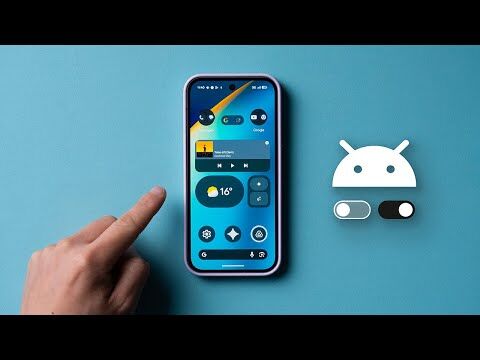
The Quick Settings panel has also received a thoughtful redesign for easier access to your most frequently used toggles and settings. This makes it quicker than ever to adjust Wi-Fi, Bluetooth, screen brightness, and other essential controls, streamlining your daily interactions and putting what you need right at your fingertips.
5. Enhanced Security and Privacy: Keeping You Safe
Your digital safety is a top priority, and Android 16 brings significant advancements in security and privacy features to protect your data and give you greater peace of mind. Google continues its mission to create a private and secure platform with expanded security features.
One notable addition is "Identity Check," which requires biometric authentication outside of trusted locations to prevent unauthorized account takeovers. This adds an extra layer of security when your device is in unfamiliar environments. Another clever feature is "Trade-in Mode," which enhances the device trade-in experience by providing trustworthy access to diagnostics only after your device has been wiped, ensuring your privacy during the process.
Furthermore, "Advanced Protection" offers the strongest defense against online attacks, harmful apps, unsafe websites, and scam calls. This comprehensive suite of security measures means Android 16 is more robust than ever in safeguarding your personal information and online activities.
6. Tailor-Made for You: Customization Features
Android has always been known for its customization capabilities, and Android 16 takes this to the next level, allowing you to truly make your device your own. Beyond the dynamic color themes mentioned earlier, you'll find even more ways to personalize your experience.
One exciting new feature is "custom keyboard shortcuts". This allows you to set up your own shortcuts for frequently used phrases, actions, or even launching specific apps, making your typing experience faster and more personalized. Imagine typing a few letters and having your full email address or a common reply pop up instantly.
These customization options empower you to fine-tune your Android device to match your unique workflow and preferences, making every interaction feel more natural and efficient. It's about putting you in control of your digital environment.
7. Performance and Battery: A Smoother Experience
A great user experience isn't just about new features; it's also about how smoothly and efficiently your device runs. Android 16 delivers noticeable improvements in both performance and battery life, ensuring your phone keeps up with your demands throughout the day.
Under the hood, Android 16 is based on Linux kernel version 6.12, which often brings optimizations that contribute to better overall system performance and responsiveness. These foundational enhancements mean apps launch faster, animations are smoother, and multitasking feels more seamless.
Beyond speed, Google has also worked on optimizing battery consumption. While specific details can vary by device, these improvements generally translate to better power management, helping your phone last longer on a single charge. This means less worrying about finding an outlet and more time enjoying your device.
8. Accessibility for Everyone
Google's commitment to making technology accessible to everyone continues with Android 16, which introduces a range of enhancements designed to improve usability for individuals with diverse needs. These updates aim to ensure that the Android platform is inclusive and easy to navigate for all users.
While specific details can vary, accessibility enhancements often include improvements to screen readers, larger text options, color correction modes, and easier ways to interact with the device through alternative input methods. The goal is to remove barriers and provide a more equitable digital experience.
These thoughtful additions demonstrate Google's dedication to designing a platform that serves its entire user base, making sure that everyone can fully benefit from the power and versatility of an Android device.
Key Takeaways
Android 16, released on June 10, 2025, is the latest stable version of Google's mobile operating system.
It features a new Material 3 Expressive design with dynamic color themes and fluid animations.
Live Updates provide real-time information directly in your notifications, reducing the need to open apps.
Productivity is boosted by desktop windowing for advanced multitasking and a redesigned Quick Settings for quicker access to controls.
Enhanced security includes Identity Check, Trade-in Mode, and Advanced Protection to safeguard your data and privacy.
Customization options, such as custom keyboard shortcuts, allow for a more personalized user experience.
Performance and battery life have been optimized for a smoother and longer-lasting experience.
Accessibility features have been improved to ensure the platform is user-friendly for everyone.
Frequently Asked Questions (FAQ)
Q1: When was Android 16 officially released?
A1: Android 16 was officially released on June 10, 2025.
Q2: What are some of the biggest visual changes in Android 16?
A2: Android 16 introduces the Material 3 Expressive design, featuring springy animations and updated dynamic color themes that adapt to your wallpaper.
Q3: How does Android 16 improve security?
A3: Android 16 enhances security with features like Identity Check, which requires biometrics in untrusted locations, Trade-in Mode for secure device transfers, and Advanced Protection against online threats.
Q4: Can I multitask better with Android 16?
A4: Yes! Android 16 includes "desktop windowing," allowing you to run apps in freeform windows for more advanced multitasking, similar to a desktop computer.
Q5: Will my phone get the Android 16 update?
A5: Many newer devices are supported, including Pixel 6 and newer, Samsung S22 and newer, Xiaomi 13 and newer, OnePlus 11 and newer, Motorola Razr 50 and Edge 40 onwards, and all Nothing phones. Check with your device manufacturer for specific update timelines.
Q6: What are Live Updates?
A6: Live Updates are a new notification feature that provides real-time progress and information directly within your notifications, like tracking a package or a sports score, without needing to open the app.
Q7: Does Android 16 improve battery life?
A7: Yes, Android 16 includes performance and battery optimizations that contribute to better power management and a smoother overall experience.



 Lisa Redford